Why your MediaWiki runs slow and how to fix that
MediaWiki installations often suffer from performance issues that can make your wiki frustratingly slow. Here are the main culprits and proven solutions to get your wiki running fast.
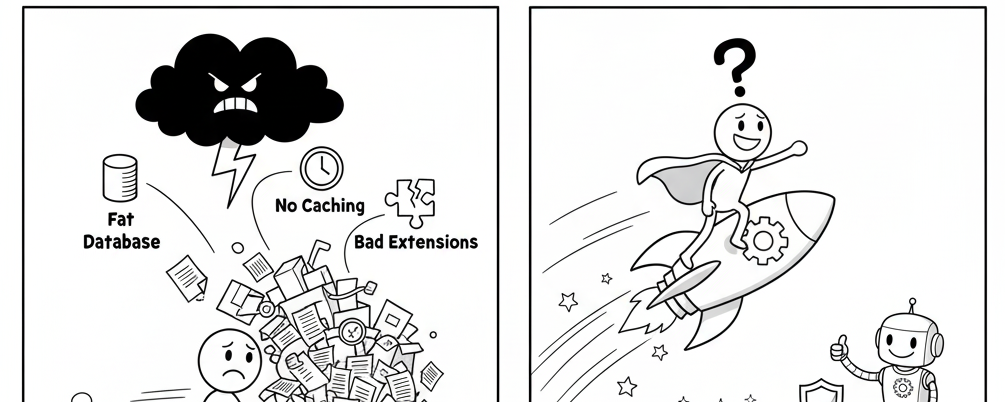
MediaWiki installations often suffer from performance issues that can make your wiki frustratingly slow. Here are the main culprits and proven solutions to get your wiki running fast.
The Root Causes
Most MediaWiki performance problems stem from three areas: inadequate caching, suboptimal database configuration, and missing PHP acceleration. Unlike simpler web applications, MediaWiki generates pages dynamically, parses wikitext, and executes complex database queries on every request.
Enable PHP OPcache
This is the lowest-hanging fruit. OPcache improves PHP performance by storing precompiled script bytecode in shared memory, thereby removing the need for PHP to load and parse scripts on each request. For a large application like MediaWiki, compilation overhead is significant.
Add to your php.ini:
opcache.enable=1
opcache.memory_consumption=128
opcache.interned_strings_buffer=8
opcache.max_accelerated_files=10000
Configure MediaWiki Caching
MediaWiki's default caching is minimal. Enable proper caching in your LocalSettings.php:
$wgMainCacheType = CACHE_ACCEL;
$wgMessageCacheType = CACHE_ACCEL;
$wgParserCacheType = CACHE_DB;
$wgUseLocalMessageCache = true;
$wgEnableSidebarCache = true;
$wgMiserMode = true;
$wgUseGzip = true;
For higher traffic wikis, implement memcached:
$wgMainCacheType = CACHE_MEMCACHED;
$wgMemCachedServers = ['127.0.0.1:11211'];
Optimize Your Database
Database queries are often the bottleneck. The database software and web server software will start to fight over RAM on busy MediaWiki installations that are hosted on a single server.
Key MySQL optimizations:
[mysqld]
innodb_buffer_pool_size = 256M  # Adjust based on available RAM
query_cache_size = 64M
key_buffer_size = 32M
tmp_table_size = 64M
max_heap_table_size = 64M
Enable text compression to reduce database size:
$wgCompressRevisions = true;
File System Caching
If you don't often make changes in most of your pages, you can use file caching. When a user will request a page from your website, MediaWiki will store a copy of the page as an HTML file.
$wgUseFileCache = true;
$wgFileCacheDirectory = '/var/cache/mediawiki';
$wgShowIPinHeader = false; // Required for file caching
Extension-Specific Issues
Semantic MediaWiki users face additional challenges. Many users think that the main performance problem is in query answering (finding the matching results) but in practice the far bigger problem is often query formatting (putting all that data into the layout you want).
Limit complex semantic queries and use result caching:
$smwgQueryResultCacheType = 'hash';
$smwgQueryResultNonEmbeddedCacheLifetime = 3600;
Server Architecture
For high-traffic wikis, separate your database and web server. This eliminates resource contention and allows independent scaling. Consider using a CDN for static assets and implementing proper load balancing for multiple application servers.
Monitoring and Maintenance
Enable slow query logging to identify problematic database queries:
[mysqld]
slow_query_log = 1
long_query_time = 2
slow_query_log_file = /var/log/mysql/slow.log
Regularly run MediaWiki's maintenance scripts:
php maintenance/runJobs.php
php maintenance/refreshLinks.php
php maintenance/rebuildall.php
These optimizations can dramatically improve MediaWiki performance. Start with OPcache and basic caching, then move to database optimization based on your specific usage patterns. Monitor your improvements using tools like New Relic or built-in MediaWiki profiling to measure the impact.